图片拼接

opencv完成多幅图像的拼接

原理

  • 角点特征匹配
  • 单应性变换Homography:[xiyi1][h00h01h02h10h11h12h20h21h22][xiyi1]\begin{bmatrix} x_i^\prime \\ y_i^\prime \\1\end{bmatrix}\cong \begin{bmatrix} h_{00} & h_{01} & h_{02} \\h_{10} & h_{11} & h_{12} \\h_{20} & h_{21} & h_{22}\end{bmatrix}\begin{bmatrix} x_i \\ y_i \\1\end{bmatrix}。这里是近似等于,实际上他们之间有比例关系λp=HQ\lambda p=HQ
变换 矩阵 自由度数量
Translation 2
Similarity [sRt0T1]\begin{bmatrix} sR & t \\ 0^T & 1 \end{bmatrix} 4
Afine [At0T1]\begin{bmatrix} A & t \\ 0^T & 1 \end{bmatrix} 6
Homography 8,h22h_{22}为1
Euclidean [Rt0T1]\begin{bmatrix} R & t \\ 0^T & 1 \end{bmatrix} 3
Projective [AtvT1]\begin{bmatrix} A & t \\ v^T & 1 \end{bmatrix}

实现1

数据

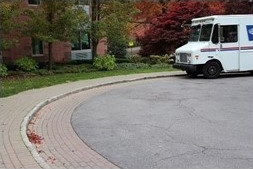
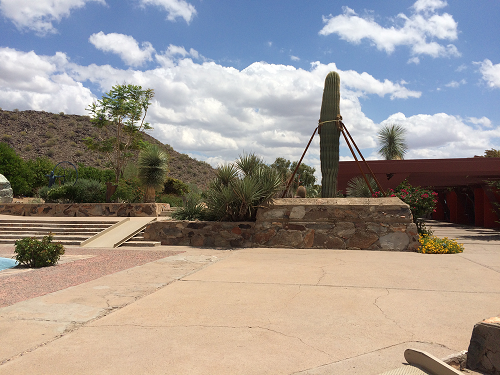
contract01
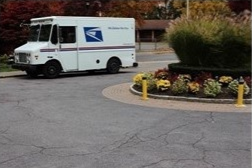
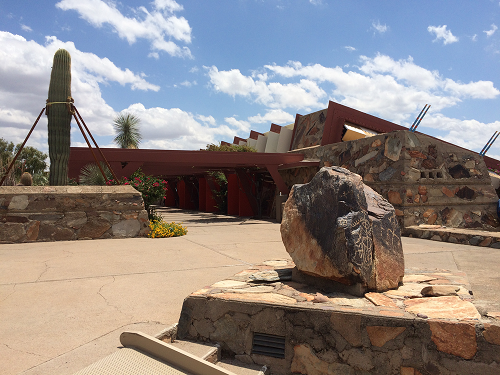
contract02
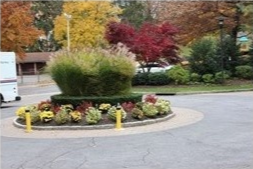
contract03

代码

#include <iostream>
#include <opencv2/opencv.hpp>
using namespace std;
using namespace cv;
int main()
{
vector< string> files;
glob("./image\\", files);
vector<Mat> images;
for (size_t i = 0; i < files.size(); i++) {
printf("image file : %s n", files[i].c_str());
images.push_back(imread(files[i]));
}
for (size_t t = 0; t < images.size(); t++) {
namedWindow("input" + to_string(t));
imshow("input" + to_string(t), images[t]);
}
// 设置拼接模式与参数
Mat result1, result2, result3;
Stitcher::Mode mode = Stitcher::PANORAMA;
Ptr<Stitcher> stitcher = Stitcher::create(mode);
// 拼接方式-多通道融合
auto blender = detail::Blender::createDefault(detail::Blender::MULTI_BAND);
stitcher->setBlender(blender);
// 拼接
Stitcher::Status status = stitcher->stitch(images, result1);
// 平面曲翘拼接
//auto plane_warper = makePtr<cv::PlaneWarper>;
//stitcher->setWarper(plane_warper);
//status = stitcher->stitch(images, result2);
// 鱼眼拼接
//auto fisheye_warper = makePtr<cv::FisheyeWarper>;
//stitcher->setWarper(fisheye_warper);
//status = stitcher->stitch(images, result3);
// 检查返回
if (status != Stitcher::OK)
{
cout << "Can't stitch images, error code = " << int(status) << endl;
return EXIT_FAILURE;
}
imwrite("output01.png", result1);
//imwrite("output02.png", result2);
//imwrite("output03.png", result3);
waitKey(0);
return 0;
}

输出

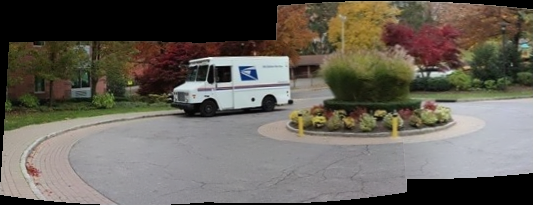
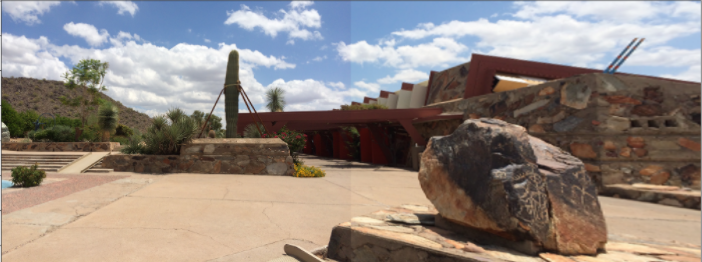
output

实现2

数据

contract01
contract02

代码

import matplotlib.pyplot as plt
import numpy as np
import cv2
img1 = cv2.imread(r"images/contract_left.png")
img1 = cv2.cvtColor(img1,cv2.COLOR_BGR2RGB)
img2 = cv2.imread(r"images/contract_right.png")
img2 = cv2.cvtColor(img2,cv2.COLOR_BGR2RGB)
fig = plt.figure(figsize=(18,18))
a = fig.add_subplot(1,2,1)
imgplot = plt.imshow(img1)
a.set_title("11")
a = fig.add_subplot(1,2,2)
imgplot = plt.imshow(img2)
a.set_title("12")
def detectAndDesc(img):
img_gray = cv2.cvtColor(img,cv2.COLOR_BGR2GRAY)
descripter = cv2.SIFT_create()
kps,desc = descripter.detectAndCompute(img,None)
kps = np.float32([kp.pt for kp in kps])
return kps,desc
def matchKeyPoints(kp1,des1,kp2,des2,ratio=0.75,reprojThresh=4.0):
matcher = cv2.BFMatcher()
rawMatches = matcher.knnMatch(des1,des2,k=2)
matches = []
for n in rawMatches:
if len(n)==2 and n[0].distance< n[1].distance*ratio:
matches.append((n[0].trainIdx,n[0].queryIdx))
if len(matches)>4:
p1 = np.float32([kp1[i] for (_,i) in matches])
p2 = np.float32([kp2[i] for (i,_) in matches])
H,status = cv2.findHomography(p1,p2,cv2.RANSAC,reprojThresh)
return matches,H,status
else:
return None,None,False
kp1,des1 = detectAndDesc(img1)
kp2,des2 = detectAndDesc(img2)
ratio = 0.75
reprojThresh = 4.0
matches,H,status = matchKeyPoints(kp1,des1,kp2,des2,ratio,reprojThresh)
result = cv2.warpPerspective(img1,H,(img1.shape[1]+img2.shape[1],img1.shape[0]))
fig = plt.figure(figsize=(18,18))
a = fig.add_subplot(2,1,1)
imgplot = plt.imshow(result)
a.set_title("11")
result[0:img2.shape[0],0:img2.shape[1]]=img2
a = fig.add_subplot(2,1,2)
imgplot = plt.imshow(result)
a.set_title("12")

输出

output